

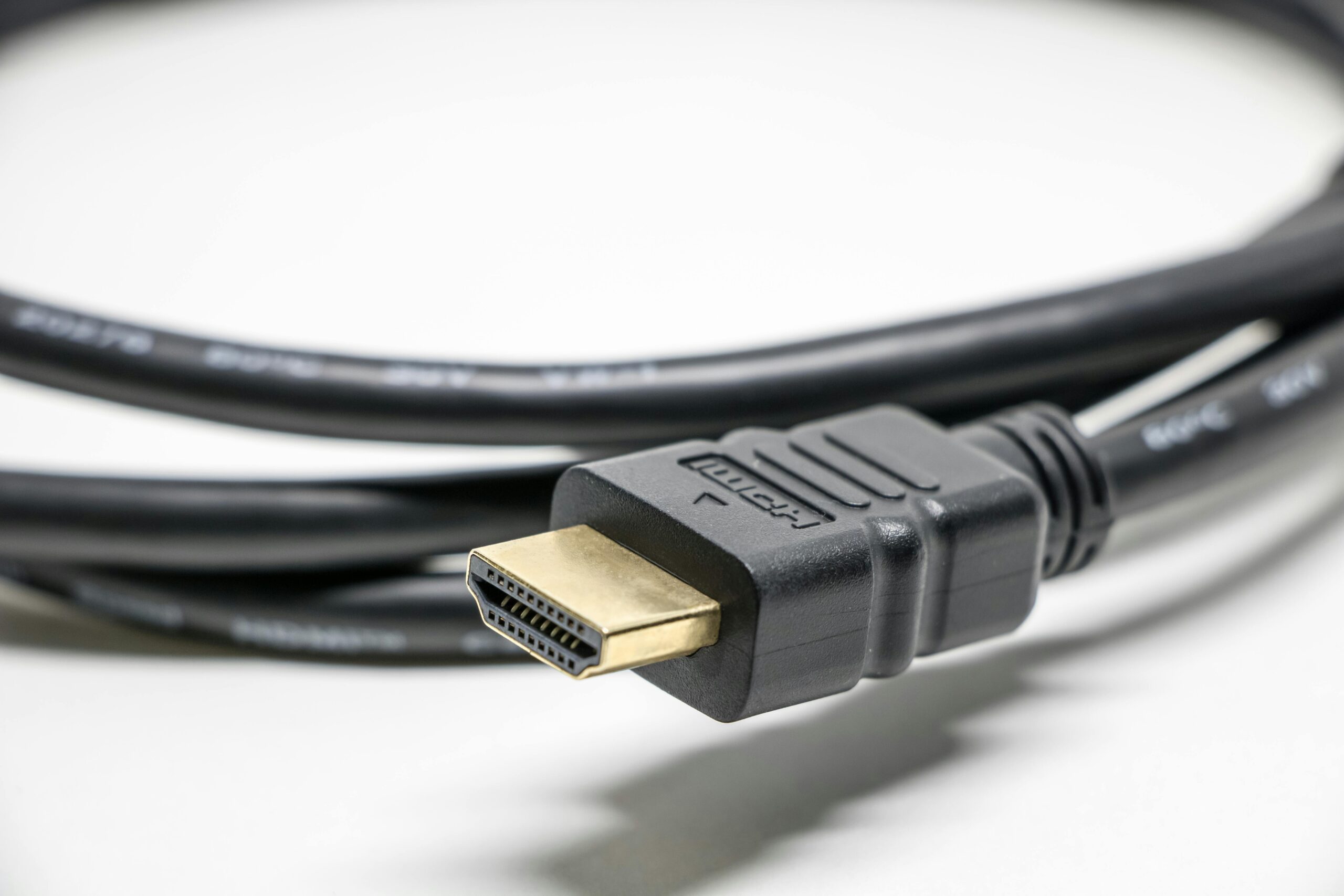
For instance, a 9-foot HDMI cable made by Monster Cable at Best Buy sells for $119.99. At Amazon, a similar 9.8-foot HDMI cable branded as Amazon Basics sells for $6.49. Per a lawsuit lodged against Best Buy and Monster Cable as a class action suit, there is a price gap of 1,748%. The picture quality of both cables is exactly the same. There is no slight improvement with Monster. Neither is there a slight decline with Amazon Basics. The picture quality is the same bit for bit as HDMI is digital technology, hence the performance of digital signals does not depend on the copper cable cost. This is the biggest lie in consumer electronics and has been going on for the past 20 years.
High-priced HDMI cables don’t offer better performance than their cheaper counterparts in over 90% of home applications. In simple terms, the picture either reaches its destination perfectly or it fails altogether. There is no “better picture quality” with high prices. For most people, a low-cost Amazon Basics or Anker Ultra High Speed HDMI cable costing $8-$12 offers exactly the same 4K image as a $100 Monster Cable. The only times spending extra will pay off is if the cable is used over 15 feet or if it’s meant for in-wall installation, or if you plug and unplug the cable on a daily basis.
HDMI transmits images in the form of binary code – 1s and 0s. Either they get delivered in full integrity or they fail to get transmitted at all. There is no such thing as an HDMI signal that arrives sort-of-correctly to produce a fuzzy picture because you used a cheap cable. That was in the old days when analog RCA connection used to transmit images via copper wire and a better cable offered better pictures. With digital signals, the principle at work is the cliff effect whereby either you have a good picture or you don’t have one. With a cheap HDMI cable, if the signal transmission fails, you’ll see sparkles (random white pixels), flicker screens, or black screens. What you won’t see is a slightly blurry picture. Picture quality issues are handled automatically in the TV by the error correction mechanism.
Why Digital HDMI Signals Make Price Irrelevant
As confirmed by CNET, various HDMI cables tested at dozens of price points demonstrated that as long as the cable meets its speed rating, a $5 one offers exactly the same bit-to-bit picture as a $100 cable. In other words, what we are seeing is exactly what science tells us; that is, picture quality depends on your TV and your source device and not the HDMI cable linking the two.
A low-cost HDMI cable is more appropriate in 99% of cases where you are transmitting the signal from a fixed spot not more than 15 feet. Active HDMI cable equipped with signal boosters is more appropriate for long runs over 25 feet.
The only important thing to look for is the speed category label on the cable box as it tells you about the volume of data it can transmit per second.
The Only HDMI Spec That Actually Matters: Speed Rating
Four speed ratings include Standard HDMI, High Speed HDMI, Premium High Speed HDMI, and Ultra High Speed HDMI. Standard HDMI is mostly obsolete and can handle 720p images. High Speed HDMI cable can handle 1080p and basic 4K at 30Hz. Premium High Speed is the one that best suits you as an individual and it offers 4K at 60Hz and also HDR capabilities. Ultra High Speed cable is required for 4K at 120fps in PlayStation 5 or Xbox Series X consoles or even 8K content. Ultra High Speed cable is sometimes referred to as HDMI 2.1 or 48Gbps.
If you have a PlayStation 5 or Xbox Series X console, get Ultra High Speed cable if you want 4K at 120fps. If you simply stream Netflix videos on a regular 4K TV, a Premium High Speed cable rated at 18Gbps suffices. Both HDMI cables are available for less than $15 each from Amazon Basics and Anker.
While Premium High Speed cable is better for movie lovers, Ultra High Speed cable is better for hard core gamers on current generation consoles. The price differential between the two is just $3. The brand on the cable does not make any difference.
The Myth of Gold-Plated Connectors and Other Lies
When visiting any Best Buy, you’ll notice HDMI cables being marketed with features such as gold-plated connectors, oxygen-free copper, triple shielding, braided nylon cable sheathes, and zinc alloy shells. All these features exist for one reason only: to allow the retailer to price the cable at $50 despite the cable costing just cents to produce.
Though gold plating resists corrosion better than nickel plating, that is applicable in submarines or extremely humid homes. In your living room, your connectors won’t suffer corrosion even without gold plating. Oxygen-free copper wire means almost all copper wires are manufactured using the oxygen-free technique. In other words, oxygen-free is a manufacturing grade.
According to a report by Popular Mechanics, it’s impossible to detect the difference between a $2 HDMI cable and one that goes for over $1,000. Global HDMI cables market was estimated to be valued at $2.66 billion in 2025. This means a lot of money comes from getting people believe that premium cables translate to better picture quality. This is a complete lie. HDMI cables business relies on consumer anxiety alone.
When You Should Actually Spend More on an HDMI Cable
There are three situations when you’ll need to spend extra and brand premium cables are not among the reasons.
First, there is length limitation whereby passive HDMI cables begin experiencing signal loss beyond 15 feet. In some cases, consistent signal failure begins beyond 25 feet. You’ll need an active HDMI cable in the range of $20-$40 if the cable will run across the entire room from the projector to the receiver. Note that active HDMI cables are directional and you need to connect them at the source end. Second, there are in-wall installation requirements that demand the use of a CL2 or CL3 cable to meet building codes.
The third situation is the cable portability aspect whereby constant plugging and unplugging of cables causes wear and tear. In this case, you’ll need a braided cable such as the $12-$15 Anker cable which lasts longer than a regular cable. However, for a permanent fixed cable, this doesn’t apply. Hence, a cheap cable does fine in a fixed HDMI installation.
HDMI vs. DisplayPort: Which One You Actually Need
HDMI is the standard for TVs, streaming sticks, game consoles (PS5, Xbox Series X, and Nintendo Switch), and home theater equipment. It also supports eARC feature that allows sending high-resolution audio backwards via a single cable to the soundbar or AV receiver. In almost all cases, the HDMI standard applies for TVs and most other devices as DisplayPort is for computer monitors.
In tech analysis by Tom’s Hardware, DisplayPort 2.1 has a theoretical bandwidth of 80Gbps, making it a better standard compared to HDMI 2.1 whose bandwidth stands at 48Gbps. That extra bandwidth allows for 240Hz refresh rate which some HDMI ports cannot deliver. Besides, the other great thing about DisplayPort is that you can chain multiple monitors through a single port.
HDMI cables offer excellent picture quality for TVs and game consoles. DisplayPort provides better options for high-speed refresh rates of gaming monitors and multi-monitor offices. In summary, HDMI is enough for almost all households while DisplayPort is better for gaming PC monitors.
What to Buy Instead of an Expensive HDMI Cable
Tier 1: $5-$12 (Amazon Basics, Monoprice). This should cover all needs related to HDMI cable for TV set-ups.
Tier 2: $12-$20 (Anker, Cable Matters). These cables are equipped with braided nylon material and connector reinforcement.
Tier 3: Anything above $20 for standard lengths. It’s basically the scam tier comprising brands like Monster, Belkin premium, AudioQuest, and in-store performance cables. They price cables based on gold plating which makes zero difference when it comes to performance of the digital signal. The difference between an HDMI Monster Cable priced at $119.99 and an Amazon Basics cable that performs the exact same role at $6.49 is 113.5 dollars in profit margins only.
FAQ: Expensive HDMI Cables and 4K Quality
Do I need an expensive HDMI cable for 4K?
Absolutely not. Any cable certified to Premium High Speed HDMI standard (18Gbps) can easily handle 4K at 60Hz picture without any problem. To get 4K at 120fps, you need an Ultra High Speed HDMI cable (48Gbps). Amazon Basics offers this cable at around $8. Testing by CNET proves that there is absolutely zero picture difference between a budget-certified cable and the expensive version of any cable meeting the required speed.
Can a cheap HDMI cable damage my TV?
Absolutely not. Since HDMI cable is low-voltage, the worst that will happen is that the cable stops working and you simply replace it with another one costing around $8. HDMI cables carry digital signals, thus, there is no risk of overvoltage or corrupting your TV’s hardware.
What HDMI cable do I need for PS5 and Xbox Series X?
Ultra High Speed HDMI (48Gbps), i.e., HDMI 2.1 is what you require to transmit 4K at 120fps. You should note that both consoles come with one such cable in the package. In case of loss or damage, you need the Amazon Basics HDMI 2.1 (48Gbps) which retails at around $8.
How long can an HDMI cable be before quality drops?
As long as the distance doesn’t exceed 15 feet, the Standard Passive HDMI cables perform quite well according to testing by Wirecutter. Consistent signal failures begin to occur after 25 feet. For distances exceeding 25 feet, you’ll need an Active HDMI cable ($20-$40) or a fiber optic cable for extremely long distances. In this case, a standard 6-foot cable at around $8 will perfectly do the job for your living room setup.
What to Do in the Next 24 Hours
Right now, visit Amazon to search for Amazon Basics HDMI 2.1 cable and purchase the 6-feet one for around $8. For sure, if you spent over $20 buying the cable, the picture you are enjoying right now is the same if you’d replace that cable with a $8 one.
The electronics accessories markup is a tactic that has existed forever in retail. The store knows that you’re feeling buyer’s remorse since you’ve already spent a lot of money purchasing a TV. So, an additional $79 feels like cheap insurance which isn’t the case. Spend the $8 on the certified cable, pocket the remaining amount and enjoy your 4K content without any issue.