

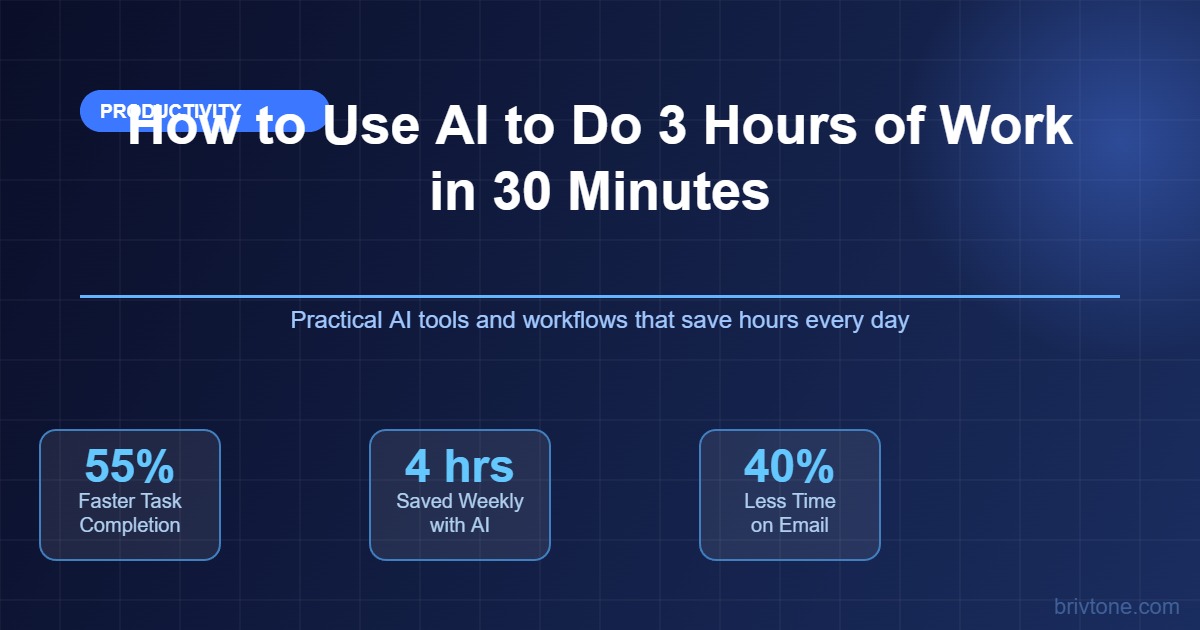
The typical knowledge worker spends about 28 percent of their workweek writing and replying to emails, 20 percent searching internal knowledge, and a significant amount of time writing the first draft of documents, reports, and presentations that must be edited several times. The Microsoft Work Trend Index report says that 70 percent of people who use Microsoft Copilot consider the application more productive, completing tasks 29 percent faster in workflows such as searching, writing, and summarizing. There is already a substantial gap between knowledge workers skilled in using AI and those just beginning to explore the tools’ capabilities. This guide provides all the instructions needed to give you 2–3 extra hours every week.
The three task categories where you save the most time by using AI are first-draft writing, information synthesis, and meeting/email processing. All of them can be completed within 8 minutes instead of the usual 45 minutes with the help of ChatGPT, Claude, and Copilot if you provide an appropriate prompt to the machine learning model. Using the software is not hard; assigning the appropriate task is much more challenging.
The AI Time Math: Why the Hours Actually Add Up
Productivity gains provided by AI are no longer theoretical since Federal Reserve economists calculated the exact percentage of work hours saved by generative AI users based on real-world data. The St. Louis Federal Reserve analysis of the impact of generative AI showed that people saved, on average, 5.4% of work hours per week. If the work week has 40 hours, it means that users save 2.2 hours or 110 hours per year. As for workers who use AI tools more effectively, Microsoft Copilot users reported cutting their email processing time by nearly three hours per week, reducing their workload by 25%.
The compound effect is the biggest productivity boost that most people ignore. Suppose you use AI to create a first draft of a document that would otherwise take you 45 minutes, and the AI-created version takes only 10 minutes to draft. Then you saved 35 minutes. If this is the case for three documents per day, it adds up to 105 minutes saved. This sounds modest until you multiply it by the number of days in a work week, and you get two extra hours daily. Annually, this means 200-400 hours saved, four to ten full workweeks, depending on how many tasks you complete using AI.
According to McKinsey Generative AI Adoption Model, the share of technically automatable work tasks increases from 50 percent to 60 percent to 70 percent as businesses adopt AI technologies. The result of the transition from one state to another is not mass layoffs but rather the ability to perform mechanically repetitive parts of work tasks, such as creating the first draft of a document, summarizing information, and other tasks where no human-specific judgment is involved.
Most of the workers who have started using AI to save time have already adopted a specific approach to using different models for distinct task categories. The specificity of the AI strategy is what helps save time instead of getting nowhere.
The Right Tool for Each Task: ChatGPT, Claude, and Copilot Are Not Interchangeable
In most cases, the reason why some people think that AI is not helpful is the incorrect selection of the right model for a given task. Although Claude, ChatGPT (GPT-4o), and Microsoft Copilot are very similar in their capabilities, their strengths are quite distinct. Not choosing the correct tool for your needs is the same as always using a spreadsheet, regardless of whether you do calculations or draw graphics, because you already have Excel open.
Claude is the strongest AI assistant regarding professional writing and tone adaptation tasks among the three models discussed in the previous section. If you need to draft a professional email that avoids formalism, a performance review, or an article with a unique style, Claude is likely to generate the text that will require fewer revisions. According to the Stack Overflow developer survey 2025, the professional adoption rate among developers increased to 43 percent for Claude, which makes it grow faster year-on-year compared to other models. It produces the most human-like text.
ChatGPT is more suitable for brainstorming tasks, coding support, and situations when you need fast results that may look slightly less polished than Claude’s work. If you need several ideas for an ad campaign, possible objections that your clients may raise, or a Python script for automation purposes, ChatGPT is better at producing content fast with high accuracy and variety. Although ChatGPT generates better code than Claude does, its written texts are usually easier to edit.
Microsoft Copilot should be your AI tool of choice whenever your work revolves around emails, meetings, and documents stored in Microsoft ecosystem. Since Copilot can process email threads, Teams chat, and SharePoint documents, it can generate a summary of a lengthy discussion, draft a follow-up message with references to the discussion topics, and extract action items from a Teams recording. For employees who mostly work in Microsoft products, Copilot is much more useful than the other models, despite inferior writing quality.
Claude is more suitable for professional writing; Copilot works great for processing emails and summarizing meetings; ChatGPT is best suited for quick structured tasks.
The Five Task Categories Where AI Saves the Most Time
Five categories account for most of the time savings observed in Microsoft and Federal Reserve productivity research. If you start using AI for these tasks, you will save much more time than expected.
Email drafting and processing is the easiest and most efficient place to start. Workers typically receive over 120 emails per week. AI can produce a draft for a thoughtful email in under 30 seconds, provided you have a simple prompt such as “Draft a polite reply declining this meeting request while offering an alternative async option.” Then you edit it and send out. What used to take four minutes can now be done in 45 seconds. This is exactly the time savings measured by Microsoft Copilot in terms of emails.
Secondly, AI models are exceptionally good at summarizing meeting recordings. If you record your meetings and paste the transcription into Claude or ChatGPT, prompting, for example, “Summarize the key decisions made during the meeting, list the action items with responsible parties and mention any outstanding questions,” you get a summary in under a minute. Otherwise, this task would require you 15 to 20 minutes every time you leave a meeting. If you attend five meetings per week, you save one to two hours weekly.
Writing the first draft of any document you need is the third task. Whether you draft a report, write a proposal or performance review, post something on LinkedIn, draft a job description, or write a brief project summary – it can be easily drafted using AI. The key here is to specify the details in the prompt. “Write a 300-word project status update for the non-technical executive audience and explain that although we’re on schedule, a critical risk related to payment integration has been identified” would yield a decent summary. “Write a project update” – not so much.
Finally, information synthesis and research tasks become easy once you get accustomed to working with AI models. Pasting a lengthy PDF document into Claude and providing the instruction “What are the three main risks this document describes, and what mitigations does it suggest?” will yield an executive summary in seconds. Asking ChatGPT to compare five project management applications according to specific criteria is another time-saving task that would normally require 90 minutes.
Content reformatting and repurposing is the fifth category, which is often underrated. If you have already created a 1,500-word document, then you can ask AI to turn it into a deck outline, an executive summary in three paragraphs, a LinkedIn post, and a list of questions and answers in bullet points in four minutes. Content is already there. You just need AI to reformat and repurpose it instead of spending hours doing it manually or having to delegate it.
Prompt Engineering: Why Most People Get Mediocre Output
The concept of prompt engineering is structuring your request correctly in such a way that the AI provides relevant and useful responses in the first or second iteration instead of the fifth round of editing and corrections. Most people who believe that they cannot get anything useful out of AI just write poorly structured prompts.
The successful structure has four elements: role, context, task, and format. The role determines the point of view from which you should be asking for something (“you are a senior financial analyst writing for a non-specialist audience”). The context is a particular situation (“this is a budget review for the Q1 in a 50-person SaaS company with $2M yearly budget”). The task specifies the assignment (“write a 200-word executive summary of the key variances and reasons behind them”). The format indicates the required output type (“create three short paragraphs: introduction, analysis of key variances, and recommendations”).
Requests that include all four elements provide results that can be used with minor adjustments, whereas omissions of context and formatting information lead to the need to spend too much time revising the results. In other words, writing prompts is 60 to 90 seconds vs. 10 to 45 minutes. That is the ratio of the benefits and drawbacks of prompt writing.
The most frequent problem that people make is to assume that AI functions as a search engine. In other words, you type in a question and wait for a helpful response. This is how it works in case of a capable and trained assistant that knows the context very well. However, AI works differently. When dealing with AI, we must assume that the helper we are working with is ignorant but capable.
Building a Daily AI Workflow That Actually Sticks
There are no major differences between workers who regularly manage to save two hours of work with AI and those who use it sometimes without noticing significant results. The thing is that AI technologies help if and only if they are integrated into your existing work processes. Therefore, the idea is not to find a special task for AI to deal with but to use AI for the things you do all the time anyway.
Setting up an everyday AI routine takes about 10 minutes to prepare in the morning and lasts throughout the whole day. First of all, copy the top 10 most time-consuming emails into Copilot or Claude and request a summary of each one. Now you know what needs a response and what you do not need to write to. Next, after the first meeting, immediately copy its transcript or your notes into Claude and create the summary and the action points. Finally, before sending any written message, check it in Claude by asking the following: “Review this for clarity and tone and identify anything a reader might need to know about the context.”
Microsoft conducted field experiments among developers who used Copilot, Accenture employees who used Claude, and the Fortune 100 company whose workers used Claude. All of them increased their weekly pull requests by 26% because they asked AI to deal with the routine coding operations and spend more time thinking about the architecture and design. In other words, the main idea is that AI helps with the execution of tasks while people concentrate on judgment calls.
FAQ: How to Use AI to Save Time at Work
Which AI tool is best for productivity at work in 2026?
The choice of the most effective AI technology depends entirely on your primary workflow. If you work in Microsoft, then Microsoft Copilot is your best bet since you can easily access the emails, meetings, and documents you work with to get a relevant prompt. Claude works best if you need to compose some kind of professional message and pay attention to details such as tone. ChatGPT serves as a versatile solution for everything from brainstorming ideas to coding. For example, according to the 2025 Stack Overflow survey, 81% of developers use ChatGPT and 43% use Claude. However, in terms of growth rates, the preference for Claude has become dominant.
How much time can AI actually save at work?
Federal Reserve economists concluded that generative AI users saved, on average, 5.4% of work hours per week (roughly 2.2 hours in a 40-hour work schedule). These results were estimated based on average data, which means that the users’ experience is quite inconsistent. Professionals who actively use AI to assist them in emailing, attending meetings, and composing messages reported savings of two to three hours per day. Microsoft Copilot field experiments showed that users save almost three hours per week on email management alone. The reason is that the results depend on the extent to which you incorporate AI technologies into your work processes.
What should I NOT use AI for at work?
There are several tasks that AI will never perform effectively: tasks requiring timely updates on reality, highly sensitive tasks (legislation and compliance), and messages in which context is more important than the content. AI underperforms when the task requires extensive knowledge of the organization and its specificities: people to contact, the internal politics of the office, and previous unsuccessful attempts. These problems must be solved personally, while AI does not do anything but routine jobs. Tasks requiring a pattern recognition and immediate verification are perfect for AI.
Is prompt engineering hard to learn?
The main idea underlying prompt engineering is to develop the habit of writing prompts. The role-context-task-format structure takes about one week to get used to, after which you will start writing it automatically. Anthropics’ documentation on prompt engineering includes many advanced strategies. But the basics are sufficient for achieving the effect of 80%, and learning the basics and mastering them takes just a couple of days of work. People who describe AI as “not really useful” usually mean that they do not know how to write prompts. But once they get the idea, they start enjoying AI immensely.
What to Do in the Next 24 Hours
Think about the task category that occupies the most amount of time: emails, meeting notes, first-draft writing. If you work with emails the most, go to ChatGPT or Claude and copy there the three longest email threads. Use the following prompt: “I need to respond to this email thread. Here is the context: [paste the thread]. Compose a professional message, which [specify the task].” Once done, you may send it or edit slightly to improve.
Microsoft Copilot works in Microsoft 365. The price per month per user starts from $30 but may go up depending on your specific plan. However, even at that price, it pays for itself for those who deal with numerous emails and attend various meetings on a daily basis.
The employees who enjoy the highest productivity gains from AI in 2026 are those who decided to try AI in real-life circumstances rather than postponing their first test to some later time when they would “understand it better.” Choose the most time-consuming task category, master it, and expand later. Your productivity gain will not appear once but gradually with dozens of minutes spent on each individual task.