
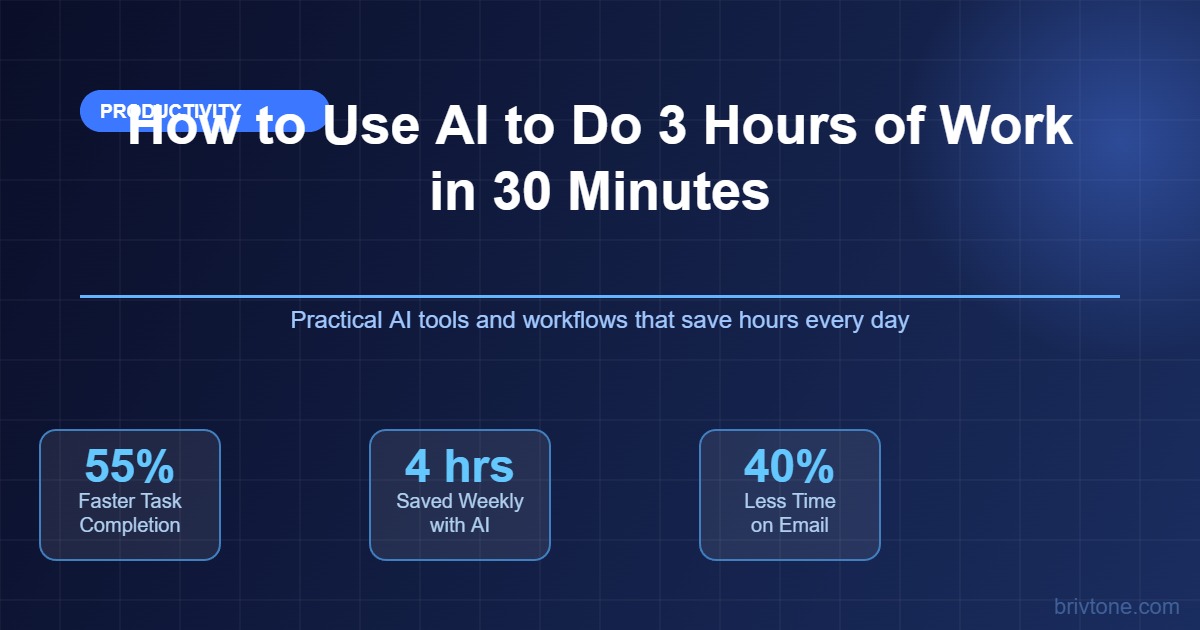
The average knowledge worker spends 28% of their workweek on email alone. Add in writing reports, summarising meetings, and doing basic research, and you have burned most of your productive day on tasks that a well-configured AI can knock out in minutes. The gap between workers who use AI well and those who barely use it is already measurable — and widening fast. This guide shows you exactly which tasks to hand to AI, which tools to use, and how to build a routine that gives you real time back every single day.
Prompt engineering: The practice of writing precise, structured instructions to get high-quality, usable output from an AI model on the first or second attempt, rather than through repeated trial and error.
In this guide, we break down how to use AI tools like ChatGPT, Claude, and Microsoft Copilot to collapse your task time based on verified research and real workflow patterns. According to Microsoft’s 2024 Work Trend Index, 90% of users say AI helps them save time and 85% say it lets them focus on more important work.
The AI Time Math: What “3 Hours of Work in 30 Minutes” Actually Means
Using AI to save time is not about getting AI to do your job. It is about removing the parts of your job that are slow, repetitive, and low-value — the parts that eat three hours but produce 30 minutes worth of real output.
Cognitive overhead: The mental load of starting, switching between, and finishing tasks — the friction that makes simple work take far longer than the actual task requires.
According to GitHub’s internal research, Copilot users complete coding tasks approximately 55.8% faster during controlled experiments. That number is not magic. It comes from AI eliminating the lookup-and-recall loop: you already know what you want, AI helps you produce it without the friction of blank-page syndrome, syntax searches, or format decisions.
AI tools are better for removing the overhead from well-defined tasks, while human effort suits open-ended thinking, judgment calls, and anything that requires institutional context AI does not have.
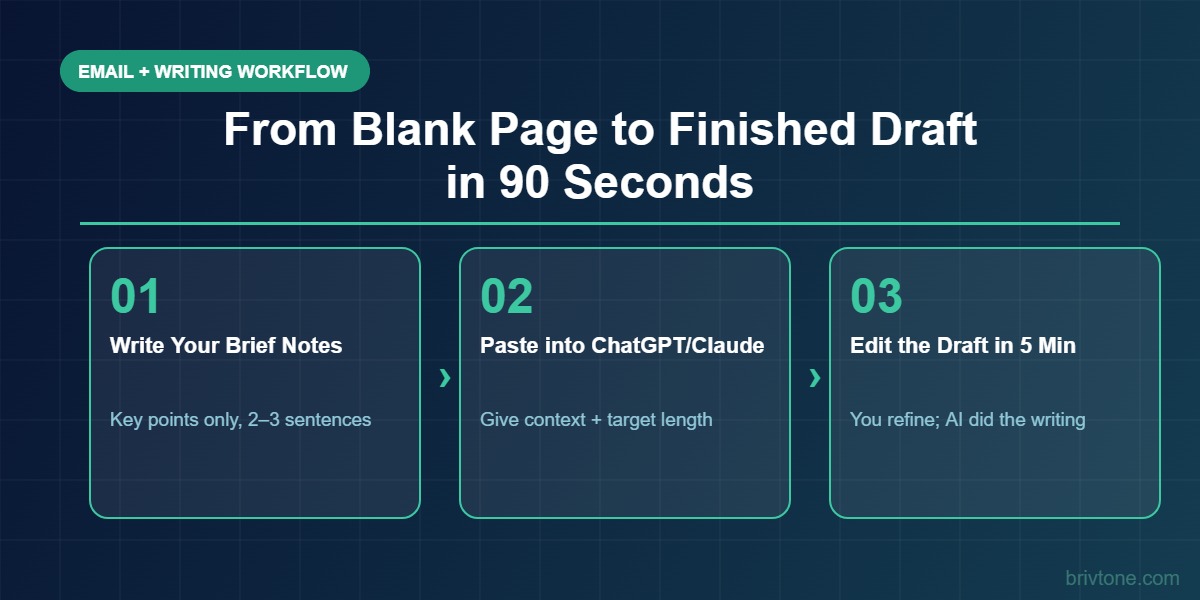
- Email and written communication: AI drafts, you edit. Instead of staring at a blank reply for 10 minutes, you spend 90 seconds refining a ready draft.
- Summarising long content: A 60-page report or 90-minute meeting transcript becomes a structured summary in under two minutes.
- First drafts of anything: Reports, proposals, social posts, job descriptions. AI eliminates the blank page; your job is to refine, not originate.
- Research and synthesis: Instead of reading 15 tabs, you feed AI the sources and ask it to extract what matters.
Workers who genuinely integrate these four areas routinely reclaim two to four hours per day. The math checks out.
Start with Email: The Fastest Return You Will Get from AI
Email is where most people first see the time savings, and it is the easiest place to start building the habit.
AI email drafting: Using a language model to generate a professional reply or outreach message based on a brief instruction, then editing it before sending.
According to a 2023 MIT study by Noy and Zhang, using ChatGPT for writing tasks including emails reduced time spent by 40% while simultaneously improving output quality as rated by independent evaluators. That is not a small gain — cutting email time by 40% in a workday where you handle 40 emails saves a significant chunk of time every single day.
ChatGPT is better for freeform professional communication where tone matters, while Microsoft Copilot in Outlook suits people already inside the Microsoft 365 ecosystem who want AI built directly into their inbox.
- Give context, not commands: Instead of “write a reply,” try “Write a professional reply declining this vendor’s pitch. Be polite but firm. Keep it under 100 words.” You get something usable on the first attempt.
- Use thread summarisation: Copilot in Outlook can read a 30-message thread and surface the key ask in three bullet points. Stop reading whole threads.
- Draft outreach in bulk: Write one great cold email, then ask AI to create five variations targeting different audiences or roles. What used to take an hour takes eight minutes.
- Triage drafts, not messages: Let AI pre-draft responses to your top ten daily emails before you start your inbox. You spend your session editing and approving, not composing.
Writing and Research in a Fraction of the Time
Beyond email, the biggest productivity gains come from any task that involves producing or processing written content.
Generative output: Text, outlines, summaries, or structured content produced by a large language model based on a prompt, used as a starting point rather than a final product.
According to Second Talent’s 2026 AI Workplace Report, business workers using AI tools produce 59% more documents per hour than those working without AI. For anyone whose job involves writing — reports, briefs, proposals, analyses — that number represents a fundamental change in personal output capacity.
Claude is better for long-form writing, nuanced summaries, and tasks where accuracy and coherence over length matter. ChatGPT suits quick ideation, brainstorming, and shorter-form output where speed is the priority.
- Report first drafts: Give AI your bullet points, key data, and a target length. A first draft that would take 90 minutes to write from scratch lands in your editor in under 90 seconds. You spend 20 minutes shaping it, not 90 minutes building it.
- Research synthesis: Copy-paste 3-5 articles or documents into Claude or ChatGPT’s context window and ask it to extract the key findings, contradictions, and gaps. You get the output of two hours of reading in five minutes.
- Structured outlines before you write: Always ask AI to produce an outline first. A good outline turns writing into fill-in-the-blanks. The creative decisions are made; execution becomes mechanical.
- Editing passes: Paste your own draft and ask AI to improve clarity, reduce length by 30%, or match a specific tone. Professional proofreading and editing in 60 seconds.
One thing most people miss: you do not have to choose between writing yourself and using AI. The fastest approach is to write rough notes quickly, then hand those notes to AI for structure and polish. You preserve your thinking; AI handles the craft.
AI Meeting Notes and Summaries: Getting Your Afternoons Back
Meetings are one of the most consistent time drains in any knowledge worker’s week, and AI meeting tools are one of the most immediately impactful places to introduce automation.
AI meeting transcription: Real-time or post-meeting automatic conversion of spoken audio into searchable text, paired with AI-generated summaries, action items, and key decisions.
According to Otter.ai user data, people using AI meeting tools save over four hours weekly by eliminating manual note-taking and post-meeting write-ups. That is a full half-day every week, reclaimed from one of the most unglamorous parts of office work.
Otter.ai and Fireflies.ai are better for standalone meeting recording and summary across any platform, while Microsoft Copilot in Teams suits organisations already running on Microsoft infrastructure who want one integrated system.
- Never take notes in a meeting again: Let the AI capture the transcript. Your job in the meeting is to think and participate, not transcribe.
- Extract action items automatically: Every decent AI meeting tool will pull out who said they would do what by when. You get an action list without building one.
- Share summaries instead of replying to “what did we decide?”: Paste the AI-generated summary into Slack or email. Three minutes versus writing a whole recap from memory.
- Search old meetings: Tools like Otter.ai and tl;dv make past meetings searchable. “What did we decide about the Q2 pricing strategy?” becomes a search, not a memory exercise.
If you are in back-to-back meetings and currently spending 20 minutes after each one writing notes, AI meeting tools alone can save you 90 minutes per day.
Building Your Daily AI Stack in 2026
The people getting the most out of AI are not using one tool for everything. They have a small, specific stack where each tool handles what it does best.
AI productivity stack: A curated set of two to five AI tools that cover distinct workflow areas, configured to work together without overlap or duplication.
According to Second Talent’s 2026 Workplace AI Report, workers who use AI tools across multiple workflow categories report saving an average of 3.5 hours per week, compared to those who use a single AI tool for one purpose.
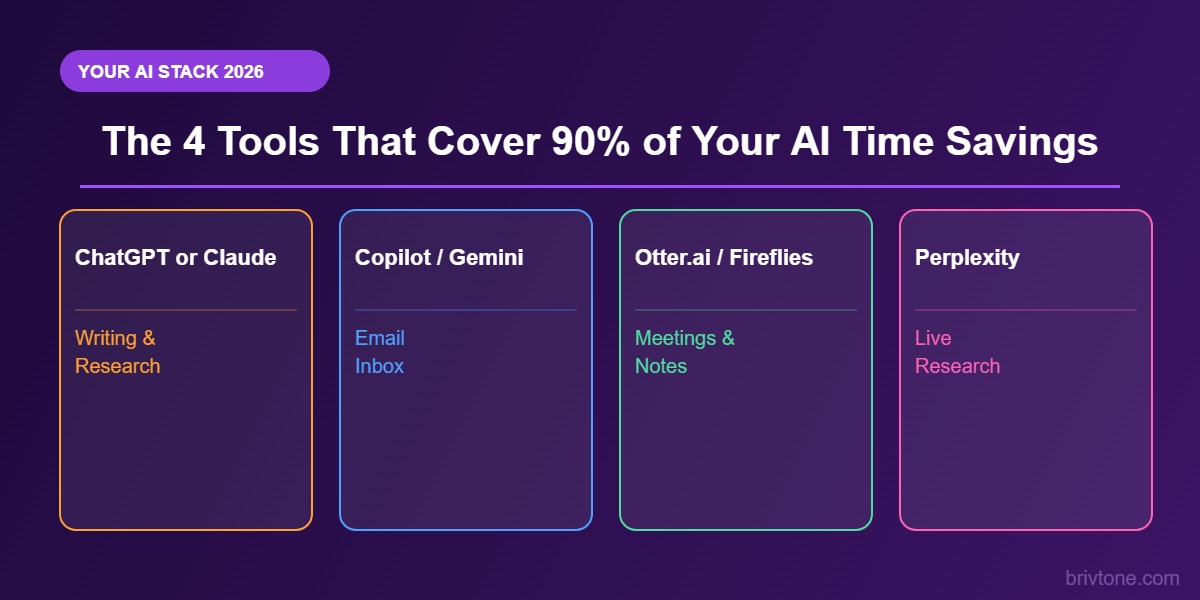
- ChatGPT or Claude for writing and thinking: Use one as your main writing and research assistant. Claude handles longer contexts better; ChatGPT has faster iteration for short tasks. Pick one and get good at it.
- Copilot in Outlook or Gmail Gemini for email: Let inbox-integrated AI draft replies directly in your email client. Removing the copy-paste step saves more time than it sounds.
- Otter.ai or Fireflies for meetings: Record, transcribe, summarise. Set it up once, use it in every meeting from then on.
- Perplexity for research: When you need current, sourced information quickly, Perplexity is faster than typing into ChatGPT and more reliable than a raw Google search. It cites its sources, which matters when you need to verify claims.
Do not add tools without having a clear, repetitive task in mind for each one. A stack of four tools you use consistently beats five tools you use inconsistently. The habit matters more than the tool.
What AI Still Cannot Do (And Where You Waste Time Thinking It Can)
Understanding where AI fails is as important as knowing where it excels. People who treat AI as an all-purpose solution waste time fixing bad output, which cancels out the gains.
AI hallucination: When a language model produces confident, plausible-sounding output that is factually incorrect, invented, or inconsistent with reality because the model is generating likely text rather than retrieving verified facts.
According to Workday’s 2026 research, 37 to 40% of time saved by AI gets absorbed by reviewing, correcting, and verifying AI-generated output when users do not apply appropriate quality checks. The fix is not to use AI less. It is to use it in the right places.
AI-generated first drafts are better for speed and structure, while human review and judgment is non-negotiable for any output that carries your professional reputation, involves real data, or will be shared externally without editing.
- Trusting AI research without verification: AI confidently cites studies, quotes, and statistics that do not exist. Always verify any fact from an AI-generated piece before including it in professional work.
- Using AI for nuanced relationship communication: A heartfelt apology to a client, a sensitive performance conversation, a response to a complex complaint — AI produces the right words but the wrong weight. Write those yourself.
- Skipping the editing step: AI text is recognisable. It is often grammatically perfect and tonally flat. A five-minute editing pass for rhythm, personality, and specificity is not optional.
- Re-prompting endlessly: If your AI output is not good after two attempts, the problem is almost always the prompt. Rewrite your instruction before retrying. “Make it better” produces worse results than “Tighten this by 30% and make the opening sentence more direct.”
FAQ: Using AI to Save Time at Work in 2026
Which AI tool saves the most time for everyday work tasks?
Large language model (LLM): An AI system trained on vast amounts of text data that can generate, summarise, translate, and analyse written content based on natural language prompts. According to Microsoft’s 2024 Work Trend Index, 90% of users of Microsoft 365 Copilot report saving time with the tool. For most office workers, the highest-impact starting point is email, followed by meeting notes. If you are in the Microsoft ecosystem, Copilot gives you AI directly in Word, Outlook, and Teams without switching tools. If you are not, ChatGPT or Claude handles the same tasks with minimal setup. Start with whichever requires the smallest change to your existing workflow.
How long does it take to actually get good at using AI for work?
Most people see real time savings within the first week, but meaningful fluency takes two to four weeks of consistent daily use. The learning curve is almost entirely about prompt quality, not tool complexity. The faster path: spend 30 minutes reading examples of effective prompts for your specific role, then apply them immediately. The gap between a mediocre prompt and a great one is often one extra sentence of context.
Is AI going to make me slower because I have to check everything?
Not if you deploy it in the right places. The verification overhead is real — Workday’s 2026 research puts it at 37 to 40% of time saved. But that math still leaves a net gain. If AI saves you 60 minutes and verification takes 25, you are still ahead by 35 minutes. Reduce verification load by using AI for lower-stakes tasks first — internal drafts, personal notes, brainstorming — and only moving it into high-stakes tasks once you have calibrated what quality to expect.
Do I need to pay for AI tools to get real productivity gains?
No, but the free tiers have real limitations. The free version of ChatGPT uses an older model with usage limits. Claude’s free tier works well for most writing tasks. The biggest paid-tier advantages are longer context windows — essential for big documents — faster response times, and access to the latest models. For most knowledge workers, the cost of a ChatGPT Plus or Claude Pro subscription pays for itself within the first week of consistent use, typically many times over.
Conclusion
Using AI to compress three hours of work into 30 minutes is not an exaggeration. It is a specific, learnable skill built on knowing which tasks to hand off, which prompts to use, and which tools to trust for which jobs. The workers already doing this are not smarter or more technical — they started earlier and built the habit.
Start with one area — email if you write a lot of it, meeting notes if your calendar is full, first drafts if writing is a significant part of your role. Get genuinely fast at that one thing before expanding. The compounding effect of eliminating friction across multiple workflow areas is where the real time savings show up.
Your next step: identify the single task that takes you longest each day, write a detailed prompt for it, and run it through ChatGPT or Claude tomorrow morning. You will know within 20 minutes whether AI has a role there. It almost always does.